
Custom Domain: GoDaddy
This tutorial shows you how to connect your Creek website to your custom domain hosted at GoDaddy.
Requirements
You need to set up three components:
- Forward "your-station-name.org" (the naked domain) to "www.your-station-name.org"
- Create a CNAME for www and point it to your-station-name.creek.fm
- Enter your domain as your-station-name.org (without the www) into your Creek station settings at the Manager Center.
Open the GoDaddy domain control panel
-
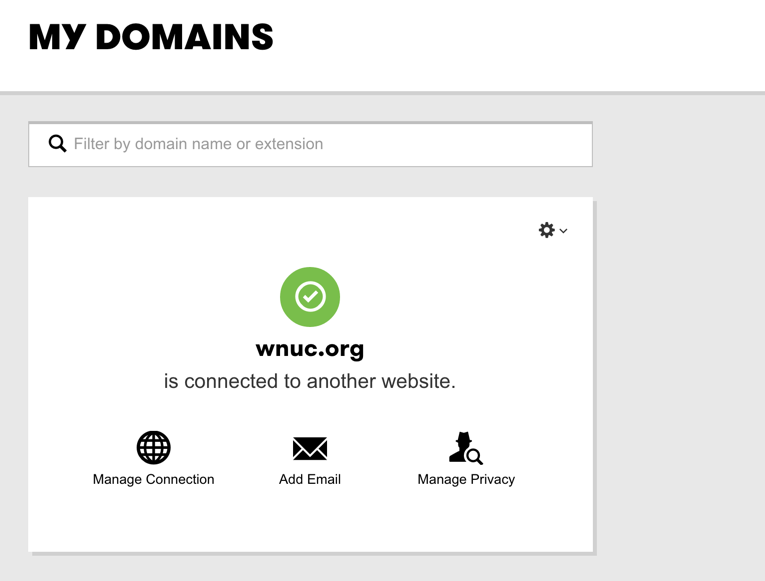
Sign in to GoDaddy, and "launch" the Domains area. (See button.)

-
If you get this message, click Manage Connection:
Forwarding Settings
Here, you will make your-domain.org redirect to www.your-domain.org.
-
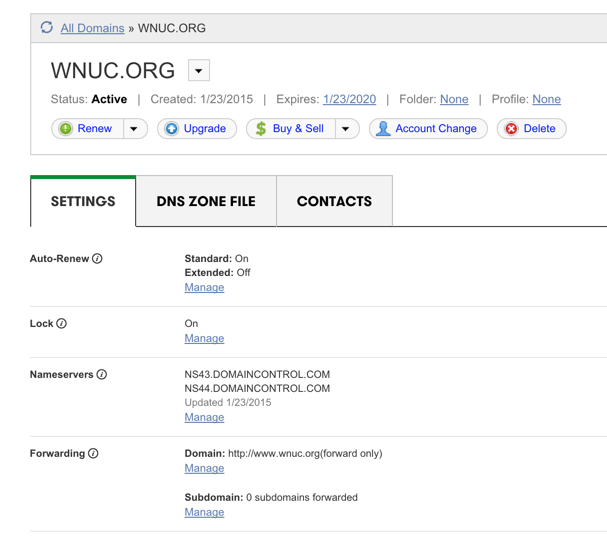
Click "manage" under forwarding settings.
-
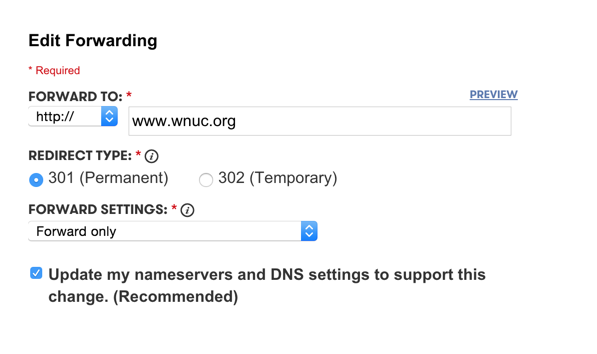
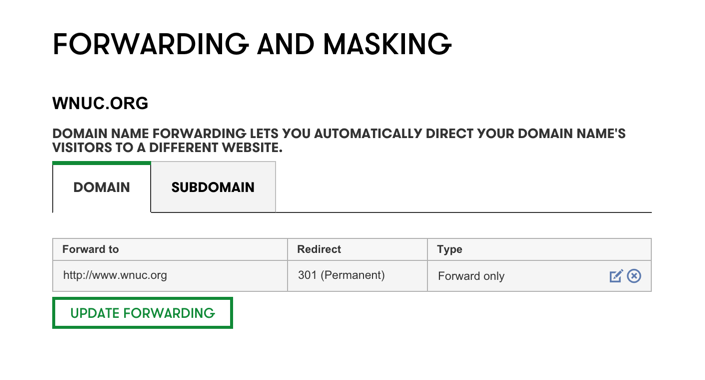
Add these forwarding settings. Enter the full address, but make sure it starts with: http://www. as in http://www.your-domain.org
-
Click the "DNS ZONE FILE" tab.
-
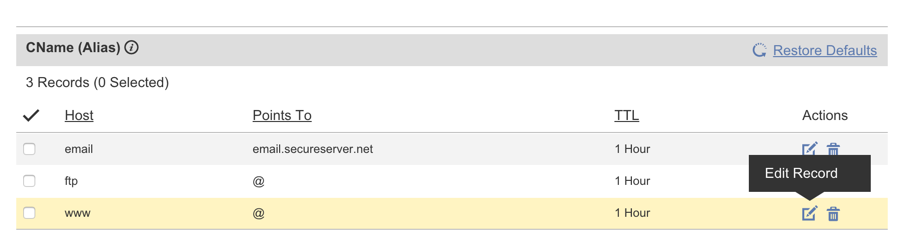
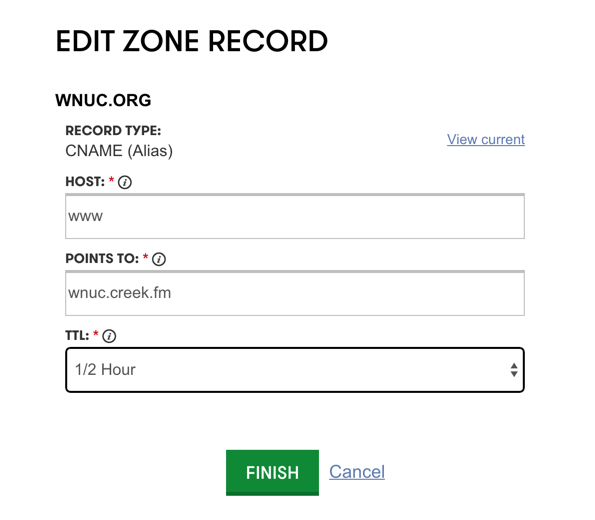
Edit the www subdomain to point to: your-station.creek.fm
-
Make sure to confirm the changes if it asks:

Last: Connect it with Creek
For the last step, go back to your Creek Manager settings, and update the custom domain setting to point to: your-domain.org
For example: wnuc.org -- leave out the www